
AAC to WAV
Open an AAC file and save it as WAV.
Free · runs in your browser · nothing is uploaded
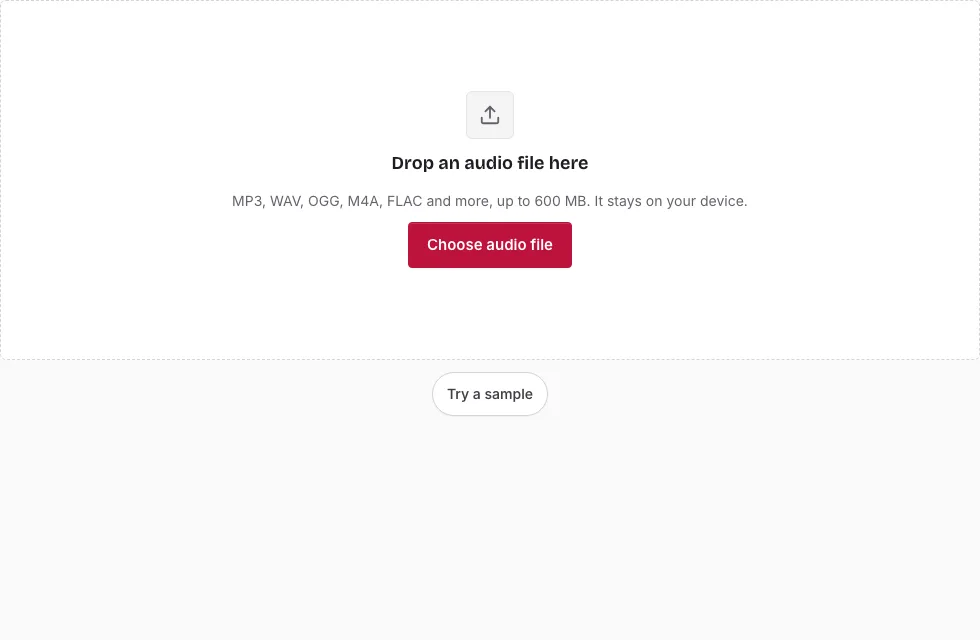
How to turn an AAC file into a WAV
- Press Choose audio file and select the .aac or .m4a file, or drop it onto the page.
- If the file opens, the file line shows its name, length, sample rate, channels and size. If the browser cannot decode it, an error says so instead.
- Select a part with the mouse on the waveform, or type Start, End and Length values. Select all restores the full range.
- In Save, choose Bit depth: 16-bit, 24-bit or 32-bit float.
- Keep Sample rate and Channels at “Same as source” unless the target software wants something else.
- Press Save as WAV. A progress bar appears with a Cancel button next to it.
- When “Ready.” is shown, listen with the small player if you like and press Download. Press Change file to open another recording.
Tip: AAC is much more often delivered inside an M4A container. If a bare .aac refuses to open, try the same recording as an .m4a; the M4A to WAV page works identically. The line above the Save button shows the expected length and size of the WAV, and you can edit the File name before saving.
Keep in mind that the 600 MB (computer) and 150 MB (phone) file limits apply to the AAC file itself, and the decoded sound must also fit in memory. Press Play before saving to make sure the section you selected is the one you want.
Are AAC and WAV the same?
No. AAC is a lossy codec that shrinks sound by discarding detail the ear is least likely to miss. WAV is a container that normally holds uncompressed PCM samples. An AAC recording is a compressed description of a sound; a WAV is the sound written out sample by sample. Moving from one to the other does not return the discarded detail.
Is AAC as good as WAV?
AAC is a lossy copy of the original recording, however carefully it was encoded. A WAV made from it holds the same decoded sound, only uncompressed. So the WAV is no better than the AAC, just easier for editors, samplers and devices that lack an AAC decoder.
Will I lose quality converting AAC to WAV?
Nothing more is lost in the step itself: the WAV stores what the browser decoded. The loss already happened when the AAC was encoded. You only reduce quality if you choose a lower bit depth or a different sample rate on purpose, because no dither is added.
Which settings change the result?
Only three: the bit depth (16-bit, 24-bit or 32-bit float), the sample rate and the channels. Leaving the last two on “Same as source” gives a straight decode. A new sample rate resamples the sound, and Mono reduces a stereo file to one channel, so use them only when the program receiving the file needs them.
What happens with a raw .aac file?
A raw .aac file (an ADTS stream) has no container, so the page reads its sample rate and channel count from the first frame. If the browser can decode it, the conversion runs like any other. Titles and cover art do not carry over, and the output keeps the source sample rate.
How big will the WAV file be?
The WAV is much larger than a compressed source because it stores every sample: 16-bit stereo at 44.1 kHz is 1411 kbps, or 10.1 MB per minute. A 3-minute song is 30.3 MB as 16-bit WAV, 45.4 MB as 24-bit and 60.6 MB as 32-bit float. The table compares them with an AAC source (1 MB = 1,048,576 bytes).
| Length | AAC source at 128 kbps | WAV 16-bit | WAV 24-bit | WAV 32-bit float |
|---|---|---|---|---|
| 1 min | 0.9 MB | 10.1 MB | 15.1 MB | 20.2 MB |
| 3 min | 2.7 MB | 30.3 MB | 45.4 MB | 60.6 MB |
| 5 min | 4.6 MB | 50.5 MB | 75.7 MB | 101 MB |
| 10 min | 9.2 MB | 101 MB | 151 MB | 202 MB |
Frequently asked questions
How do I convert AAC to WAV online?
Open the file here, choose a bit depth in the Save panel and press Save as WAV. The conversion runs in your browser, in 20-second blocks, and the finished WAV downloads from the same page.
Will my file lose quality when I convert AAC to WAV?
No further loss happens when you keep the source bit depth and sample rate. The WAV will not be better than the AAC.
Is WAV better than AAC?
For editing and compatibility, usually yes; for file size, no. WAV is far larger.
What is an AAC file?
AAC stands for Advanced Audio Coding. It is a lossy codec used for music downloads, phone recordings and streaming, and it is often found inside M4A files.
What is a WAV file?
WAV stores uncompressed PCM audio and opens in almost every audio program.
How do I open an AAC file?
Many current players and phones play AAC directly. This page opens it as well, with a waveform.
How do I open a WAV file?
Use any common media player or audio editor.
How large an AAC file can I open?
Up to 600 MB on a computer and 150 MB on a phone, and the decoded sound has to fit in memory as well.
Related tools
- M4A to WAV: the same job for AAC inside M4A.
- MP3 to AAC: go from MP3 to AAC audio in an M4A file.
- Audio Converter: compare the output formats this site writes.
- Compress Audio File: shrink the WAV again for sharing.
- Normalize Audio: level out the loudness.
- Cut Audio: remove a middle section.
- Audio Splitter: split into several files.