
AIFF to WAV
Open an AIFF file and save it as WAV.
Free · runs in your browser · nothing is uploaded
Changing AIFF into WAV
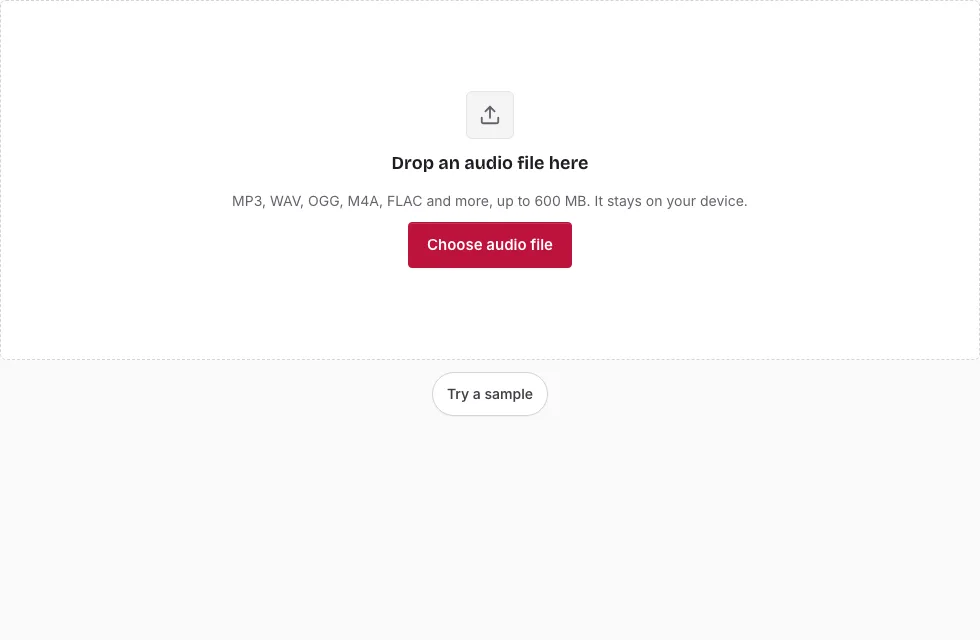
- Press Choose audio file and select the .aif or .aiff file, or drop it on the page.
- Look at the file line to check the length, sample rate and channels that were read from the header.
- To convert only part of it, drag on the waveform and adjust the handles, or fill in Start, End or Length. With no selection the entire file is converted.
- In Save, pick Bit depth. Matching the AIFF (16-bit for 16-bit, 24-bit for 24-bit) keeps the values exactly.
- Leave Sample rate and Channels on “Same as source” for a straight container change.
- Press Save as WAV. The bar fills as 20-second blocks are written, and Cancel ends the job.
- After “Ready.” shows, check the result in the small player and press Download.
Large AIFF files are common because the format is uncompressed, so check the limit before starting: 600 MB on a computer, 150 MB on a phone. A 10 GB file will not load. Use the zoom buttons or the mouse wheel to place the edges of a selection precisely, and look at the line above the Save button for the expected length and size.
If the page reports that the browser could not read the file, check that it is a genuine AIFF or AIFC with PCM audio. Press Play before saving to confirm that the selected section starts and ends where you expect.
Is AIFF a WAV file?
No, though they are close relatives. Both are containers for uncompressed PCM audio. AIFF comes from Apple’s world and stores sample bytes in big-endian order; WAV comes from the Microsoft and IBM side and uses little-endian order. The audio itself is equivalent, so a converted file contains the same sample values.
Is AIFF as good as WAV?
In sound quality, yes. With the same bit depth and sample rate, an AIFF and a WAV carry identical audio and nothing is lost converting one into the other. Choose between them by what your software accepts; WAV is the more widely supported of the two.
How can I open an AIFF file?
Many media players and most audio editors open AIFF. Some players and devices do not, and that is when a conversion makes sense. This page opens it as well and draws the waveform straight from the file.
Why are AIFF and WAV sizes so close?
Because both store every sample at full size. A 16-bit stereo recording takes the same number of bytes in either wrapper, apart from a small header, so converting does not shrink or grow the file noticeably at the same bit depth. Choosing 24-bit or 32-bit float for the WAV makes it larger than a 16-bit AIFF.
Which AIFF files can be read?
AIFF and AIFC files with 8, 16, 24 or 32-bit integer PCM, including the little-endian “sowt” variant that some Apple tools write. They are read directly by the page without a decoder, and the sample rate comes from the header, where AIFF stores it as an 80-bit extended float. A compressed AIFC that holds something other than PCM is not covered by that list.
Can a very large AIFF be converted?
Only up to the device limit. Files above 600 MB on a computer, or 150 MB on a phone, are refused, and the decoded audio also has to fit in memory. For a long session recording over the limit, split it into parts in another program first and convert each part here.
How big will the WAV file be?
The WAV is much larger than a compressed source because it stores every sample: 16-bit stereo at 44.1 kHz is 1411 kbps, or 10.1 MB per minute. A 3-minute song is 30.3 MB as 16-bit WAV, 45.4 MB as 24-bit and 60.6 MB as 32-bit float. The table compares them with an AIFF source (1 MB = 1,048,576 bytes).
| Length | AIFF 16-bit | WAV 16-bit | WAV 24-bit | WAV 32-bit float |
|---|---|---|---|---|
| 1 min | 10.1 MB | 10.1 MB | 15.1 MB | 20.2 MB |
| 3 min | 30.3 MB | 30.3 MB | 45.4 MB | 60.6 MB |
| 5 min | 50.5 MB | 50.5 MB | 75.7 MB | 101 MB |
| 10 min | 101 MB | 101 MB | 151 MB | 202 MB |
Frequently asked questions
How do I convert an AIFF file to WAV?
Open the AIFF on this page, set a bit depth that matches the source and press Save as WAV. The finished file appears with a Download button, and you can rename it before saving if you wish.
How long does converting AIFF to WAV take?
It depends on the length of the recording and your device. A progress bar shows the blocks as they are written, and Cancel is there if you change your mind.
Does the conversion change the audio?
No. Both formats hold PCM, so the sample values pass through unchanged when you keep the same bit depth and sample rate. Choosing a lower bit depth or a new rate does change them.
Which AIFF files can the page read?
AIFF and AIFC files with 8, 16, 24 or 32-bit integer PCM, including the little-endian “sowt” variant.
What is an AIFF file?
AIFF stands for Audio Interchange File Format. It stores uncompressed audio and is most common on Apple computers.
What is a WAV file?
A WAV file holds uncompressed audio too and is accepted almost everywhere.
Can I convert an AIFF file that is 10 GB?
No. The limit is 600 MB per file on a computer and 150 MB on a phone, and a larger file is refused with a message that names the limit. Split such a recording in another program first.
Related tools
- Audio Converter: target OGG, FLAC or M4A instead of WAV.
- WAV to FLAC: store the WAV in a smaller lossless file.
- FLAC to WAV: the same step for a FLAC source.
- MP3 to WAV: decode an MP3 to WAV.
- Audio Splitter: divide a long session into parts.
- Cut Audio: delete a section inside a recording.
- Compress Audio File: produce a smaller copy of the finished WAV.