
Android Ringtone Maker
Choose the part of a song that should play when the phone rings and save it as an Android-friendly file.
Free · runs in your browser · nothing is uploaded
Making an Android ringtone
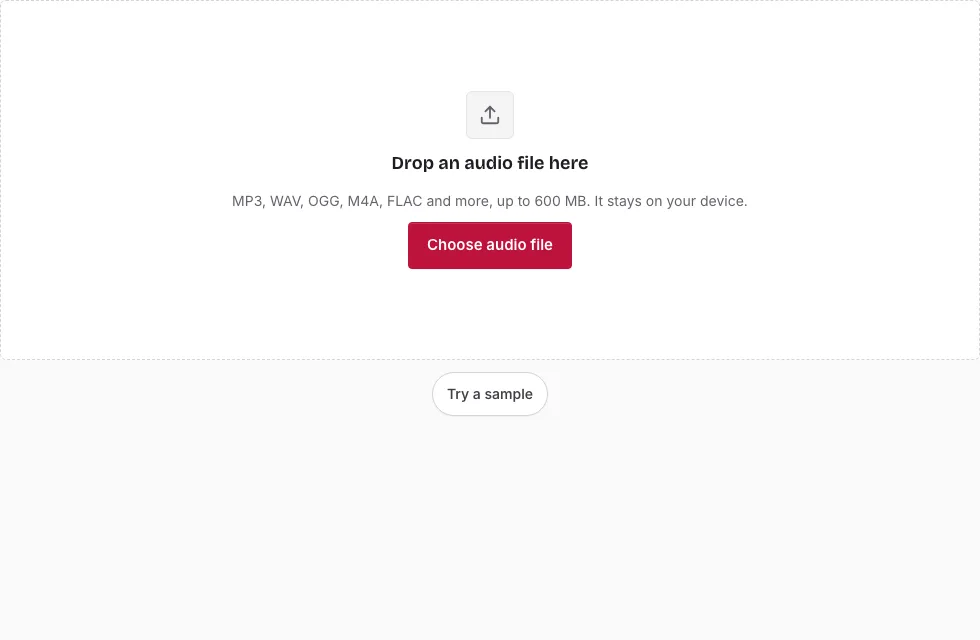
- Press Choose audio file and open the song (MP3 works best), or drop it onto the page.
- Drag across the waveform, or move the handles of the selection that appears, until it covers the part you want. Exact times go into Start, End and Length.
- Press Play to preview the selection, and Loop to hear it repeat.
- In Save, keep Format on “MP3 (original quality, no re-encoding)” for an MP3 source. For other sources, or when you want fades, choose MP3 (re-encoded), M4A (AAC), OGG Vorbis or WAV.
- If you chose a format other than the lossless MP3, set Fade in (0.3 s at first) and Fade out (1 s). The lossless MP3 save ignores them, because the sound is never decoded.
- Press Save as MP3 (or the name of your format), then watch the progress bar. Cancel stops it.
- Press Download when “Ready.” appears.
- Copy the file to the phone by USB cable, a cloud drive or a messaging app to yourself.
- Open the sound settings and choose the file as the phone ringtone.
Tips: the Save button stays off until a selection exists, and the line above it shows the length and approximate size. Press Change file to cut a ringtone from another song.
How do I set the file as a ringtone on Android?
Copy it to the phone, open the phone’s sound settings and pick it as the ringtone. The menu names differ between makers, and many phones offer an option to add a sound from the phone’s files. The page cannot name the exact menu on every phone, Samsung Galaxy models included, so look for the ringtone entry in the sound settings.
How long can an Android ringtone be?
There is no single official limit in these tools, and the page does not enforce one. A clip of 20 to 30 seconds is common, because the phone stops ringing after a while. Pick the section that carries the tune, and start a moment before the first beat so it does not open with silence.
Which format should I save for an Android ringtone?
Android phones accept MP3, M4A, OGG and WAV files as ringtones. The lossless MP3 save is offered only when the song is an MP3. It copies the selected MP3 frames, so there is no second round of compression and the ringtone keeps the song’s quality, which is why it comes first. A re-encoded MP3 (constant bitrate, 128 to 320 kbps), M4A (AAC, in browsers that can encode it), OGG and WAV are there for songs that are not MP3 files, or when you want a fade.
Can I use a song from Spotify or Apple Music?
Only as a file you already hold. The page works on files you open, not on streaming accounts. Songs protected by copyright remain your own responsibility.
How exact is the lossless MP3 cut?
The cut can only start and end on an MP3 frame boundary, which is 26 ms at 44.1 kHz, so the clip may begin or end a fraction of a second away from the edge you set. Players that read the gapless tag skip the first lead-in frames that the cut needs to start cleanly. A decoded format such as M4A, OGG or WAV is cut sample-exactly instead.
Can I make a ringtone with my name in it?
Record yourself saying it on the Online Voice Recorder page, save the file and open it here to trim it. The result is just another audio file for the sound settings.
How big is a ringtone file?
A ringtone is short, so the file is small. At 128 kbps AAC a 30-second ringtone, the longest that the Apple help pages allow for an iPhone, is about 0.46 MB and a 15-second one about 0.23 MB. The table gives sizes for other lengths and bitrates (1 MB = 1,048,576 bytes).
| Length | 64 kbps | 128 kbps | 256 kbps |
|---|---|---|---|
| 15 s | 0.11 MB | 0.23 MB | 0.46 MB |
| 20 s | 0.15 MB | 0.31 MB | 0.61 MB |
| 30 s | 0.23 MB | 0.46 MB | 0.92 MB |
Frequently asked questions
How long can a ringtone be?
The page sets no limit for Android files. Clips of 20 to 30 seconds are common.
How do I make a ringtone online?
Open a song, select a section with the handles or the Start, End and Length boxes, and press Save as MP3 or another format. The page cuts the audio inside your browser.
Is my song uploaded to a server?
No. The cutting happens on your device.
Is this ringtone maker free?
Yes. It only cuts, fades and encodes your audio, and the page adds nothing to the sound.
Can I make a ringtone from a video?
The page opens audio files such as MP3, WAV, OGG, M4A, AAC, FLAC, AIFF and Opus. Video files are not on the supported list.
Can I make a ringtone for my iPhone here?
Use the iPhone Ringtone Maker page instead; it offers M4R and lists Apple’s GarageBand steps.
Does it work on a Samsung Galaxy?
It produces ordinary audio files that Android phones accept. The phone’s sound settings differ by maker.
Can I add a fade-in or fade-out?
Yes, for the re-encoded MP3, M4A, OGG and WAV formats: 0 to 5 seconds each. The lossless MP3 save cannot apply them.
Related tools
- Ringtone Maker: the general version for any phone.
- iPhone Ringtone Maker: M4R and the GarageBand steps.
- How to Make a Ringtone: both phone types in one guide.
- MP3 Cutter: cut an MP3 without re-encoding.
- Online Voice Recorder: record a name or message.
- Cut Audio: remove a middle section.
- Audio Splitter: split a long file.