
FLAC to OGG
Open a FLAC file and save it as OGG.
Free · runs in your browser · nothing is uploaded
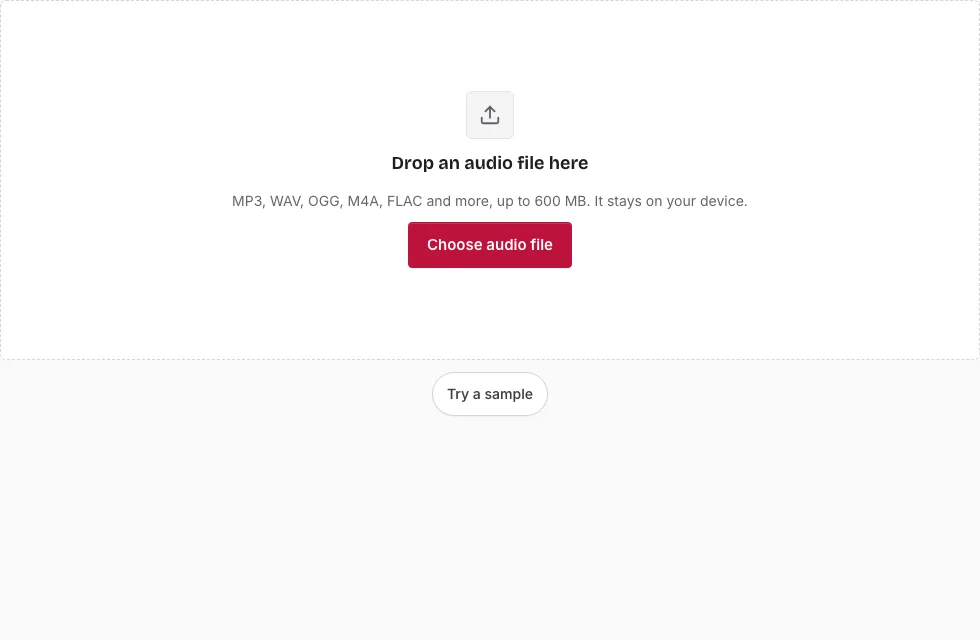
Converting FLAC to OGG with a few clicks
- Press Choose audio file and select the FLAC, or drag it onto the page.
- Confirm the file line: length, sample rate, channels and size.
- If you want a clip rather than the whole recording, drag over the waveform. Start here, End here and the Start, End and Length boxes tune the edges; Clear selection returns to the full length.
- In Save, open Quality. Small file, Balanced, High and Very high are the choices, and Balanced is selected at first.
- Adjust Sample rate and Channels only for a reason. Both start at “Same as source”.
- The line above the button predicts the length and size of the OGG. Compare presets by changing the list and reading it again.
- Press Save as OGG, wait for the progress bar and press Download.
Tip: a lossless source gives the encoder the best material to work from, so converting from the FLAC is better than converting from an MP3 of the same song. Long files are processed in 20-second blocks, and Cancel stops the job. You can rename the result in the File name box before saving.
Start with Balanced, listen to the result in the player under the Download button, and only then try High or Very high if you want more detail. Each preset gives a different predicted size above the Save button.
Is OGG better than FLAC?
Not in fidelity. FLAC is lossless, so it reproduces the recording exactly, while Ogg Vorbis is lossy and trades detail for smaller files. OGG wins on size and on being accepted by some apps and games. Which format is better therefore depends on whether you need exactness (FLAC) or economy (OGG), and for archiving the answer is the FLAC.
Is OGG a lossless format?
No. Vorbis is a lossy codec, even at the Very high preset. OGG is only the container, and the sound inside is normally Vorbis, which is why a FLAC of the same song will always be larger. Ogg can in principle carry FLAC audio too, but the files this page writes contain Vorbis, so a lossless OGG is not something you will get here. If exact copies matter, use the FLAC to WAV page instead.
Is OGG higher quality than WAV?
No. A WAV holds uncompressed samples. An OGG made from it, or from a FLAC, is a smaller approximation. The OGG is never higher quality than the source, whichever preset you choose.
What size and quality can I expect?
The OGG size follows the preset and the length of the audio, not the size of the FLAC, so a short selection gives a small file. Mono files need fewer bits than stereo. The table below shows approximate sizes for each preset, measured with test noise; real music usually needs fewer bits. Your sample rate and channel layout are kept unless you change them.
Can I convert a whole FLAC library at once?
The page handles one file at a time. To process many tracks, repeat the steps with Change file. Each conversion runs on your own device, and the files stay there. After one file is finished, press Change file and the page is ready for the next.
How big will the OGG file be?
The OGG size follows the quality preset you choose. For a stereo file the four presets average roughly 80, 110, 155 and 225 kbps, so a 3-minute song is about 1.8, 2.3, 3.4 and 4.8 MB (1 MB = 1,048,576 bytes). The table also shows a FLAC source for comparison.
| Length | FLAC (about 60% of WAV) | OGG Small file (about 80 kbps) | OGG Balanced (about 110 kbps) | OGG High (about 155 kbps) | OGG Very high (about 225 kbps) |
|---|---|---|---|---|---|
| 1 min | 6.1 MB | 0.6 MB | 0.8 MB | 1.1 MB | 1.6 MB |
| 3 min | 18.2 MB | 1.8 MB | 2.3 MB | 3.4 MB | 4.8 MB |
| 5 min | 30.3 MB | 2.9 MB | 3.9 MB | 5.6 MB | 8.0 MB |
| 10 min | 60.6 MB | 5.8 MB | 7.8 MB | 11.2 MB | 16.0 MB |
Frequently asked questions
How can I convert a FLAC file to OGG?
Open the FLAC, pick a quality preset and press Save as OGG. The progress bar shows the encoding, and Download appears when it finishes.
What is a FLAC file?
FLAC means Free Lossless Audio Codec. It compresses audio without discarding anything, typically to about half or two thirds of the WAV size, and it decodes back to exactly the original samples.
What is an OGG file?
An OGG file is a container that normally holds Ogg Vorbis, a lossy format.
How do I open a FLAC file?
Many current players and editors play FLAC, and this page opens it with a waveform. Some older devices cannot.
How do I open an OGG file?
Use a player or tool that supports Ogg Vorbis, or open it on this page.
How do I bulk convert FLAC to OGG on a PC or Mac?
This page converts one file per run, in a browser on either system. For hundreds of tracks you will need a batch tool.
Can I change the sample rate or make it mono?
Yes. In the Save panel, Sample rate offers 48000, 44100, 32000, 22050, 16000 and 8000 Hz, and Channels offers Mono or Stereo. Both default to the FLAC values.
Related tools
- Audio Converter: pick WAV or M4A as the target instead.
- FLAC to WAV: convert without losing anything.
- WAV to FLAC: go the other way.
- WAV to OGG: the same step for a WAV source.
- MP3 to OGG: convert from an MP3 instead.
- Audio Splitter: split a long FLAC into tracks.
- Compress Audio File: put lossless and lossy sizes side by side.