
M4A to OGG
Open an M4A file and save it as OGG.
Free · runs in your browser · nothing is uploaded
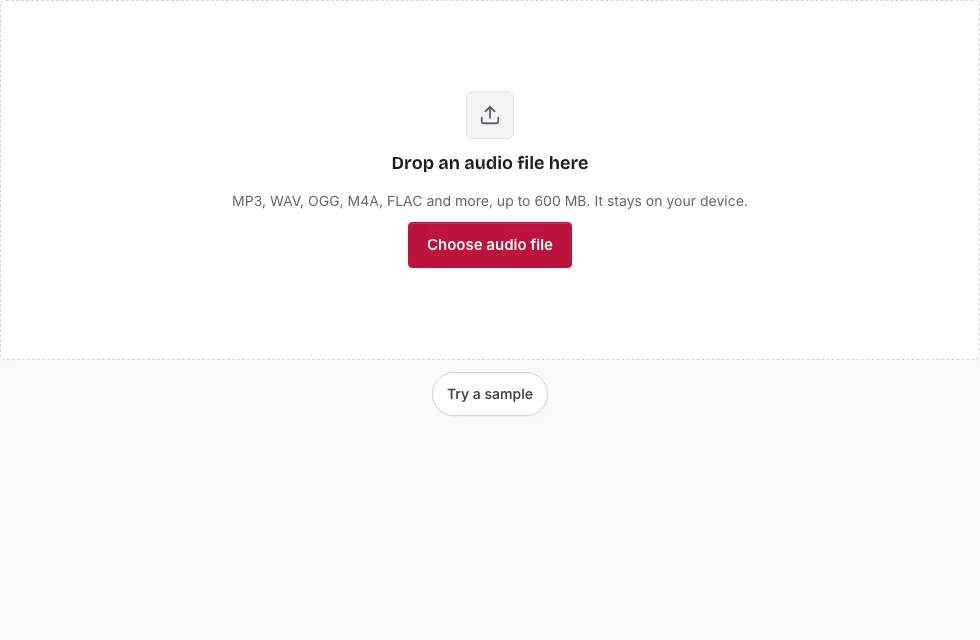
M4A to OGG: the steps
- Press Choose audio file and open the M4A, or drop it onto the page.
- The line under the drop area gives its name, length, sample rate, channels and size. If the browser cannot decode this M4A, a message says so; an Apple Lossless (ALAC) file is the likely cause.
- To encode only a section, drag across the waveform and use the handles, or enter Start, End and Length. Leave it unselected to convert everything.
- In Save, choose a Quality: Small file, Balanced, High or Very high.
- Set Sample rate or Channels if the destination needs it. “Same as source” is the default.
- Read the predicted length and size above the button, then press Save as OGG.
- Follow the progress bar, use Cancel if needed, and press Download when “Ready.” appears.
Tip: preview with Play first. Stop and Loop work on the selection too, which is a quick way to find the right start and end, and the File name box lets you rename the result before saving. A file over 600 MB (150 MB on a phone) will not open.
Keep Balanced for a first try. If the OGG sounds thinner than you like, run the conversion again with High; the M4A on your device stays unchanged, so you can repeat the job as often as you want.
What is the difference between M4A and OGG?
Both are containers for lossy audio. An M4A file is an MP4 container that usually carries AAC; an OGG file is an Ogg container that usually carries Vorbis. Neither is lossless, and they are not interchangeable on every device: Apple software is built around M4A, while games and some players favour OGG.
Will the OGG sound worse than the M4A?
It can, slightly. The AAC encoder removed detail when the M4A was made, and the Vorbis encoder removes more when it is re-encoded. Higher presets keep the second pass closer to the original; Small file discards the most. Neither pass can bring back what the first encoder dropped, so the OGG is never better than the M4A, and you should keep the M4A if it is the only copy you have.
What carries over from the M4A?
Sample rate and mono or stereo layout stay as they are unless you change them under Sample rate and Channels. Titles, artwork and other tags are not copied, so the OGG starts without them. Your M4A itself is never modified; only a new file is written, and you can rename it before saving.
When does M4A to OGG make sense?
When a program that cannot read M4A needs your recording. A game engine, a web project or a player that lists OGG as supported are typical cases. If the file only needs to play on an iPhone or in iTunes, keep it as M4A and skip the extra round of loss.
How do I convert M4A to OGG?
Open the file, pick a preset, press Save as OGG and download the result. Every control is listed in the steps above. Vorbis encoding runs inside the page through WebAssembly, and long recordings are processed in 20-second blocks.
How big will the OGG file be?
The OGG size follows the quality preset you choose. For a stereo file the four presets average roughly 80, 110, 155 and 225 kbps, so a 3-minute song is about 1.8, 2.3, 3.4 and 4.8 MB (1 MB = 1,048,576 bytes). The table also shows an M4A source for comparison.
| Length | M4A source at 128 kbps | OGG Small file (about 80 kbps) | OGG Balanced (about 110 kbps) | OGG High (about 155 kbps) | OGG Very high (about 225 kbps) |
|---|---|---|---|---|---|
| 1 min | 0.9 MB | 0.6 MB | 0.8 MB | 1.1 MB | 1.6 MB |
| 3 min | 2.7 MB | 1.8 MB | 2.3 MB | 3.4 MB | 4.8 MB |
| 5 min | 4.6 MB | 2.9 MB | 3.9 MB | 5.6 MB | 8.0 MB |
| 10 min | 9.2 MB | 5.8 MB | 7.8 MB | 11.2 MB | 16.0 MB |
Frequently asked questions
What is an M4A file?
An M4A file is an MPEG-4 audio file, usually AAC inside an MP4 container. It is common for phone recordings and music downloads.
What is an OGG file?
OGG is a container, normally holding Ogg Vorbis, a lossy codec that makes small files.
How do I open an OGG file?
Open it in a player or game tool that supports Ogg Vorbis. This page opens OGG too, with a waveform and a Play button.
Can I convert only part of the M4A?
Yes. Drag across the waveform or type start and end times, and only that part is encoded. With no selection the whole file is converted.
How long can the recording be?
Files over 600 MB on a computer or 150 MB on a phone are refused, and the decoded sound has to fit in memory: roughly an hour of 44.1 kHz stereo on a computer, a quarter of that on a phone.
Can I choose a bitrate?
There is no bitrate box. You pick one of four quality presets, and the line above the Save button predicts the size of the result.
How do I convert M4A to OGG?
Open the M4A, choose a preset in the Quality list and press Save as OGG.
Related tools
- Audio Converter: see every source and target in one list.
- M4A to WAV: decode an M4A without compressing it again.
- MP3 to OGG: the same step for an MP3.
- FLAC to OGG: encode from a lossless source.
- WAV to M4A: the reverse direction in a different codec.
- OGG to WAV: open an OGG as plain audio.
- Compress Audio File: compare sizes across formats and bitrates.