
MP3 Cutter
Select a part of an MP3 and save it as another MP3, with no new compression.
Free · runs in your browser · nothing is uploaded
How to cut an MP3
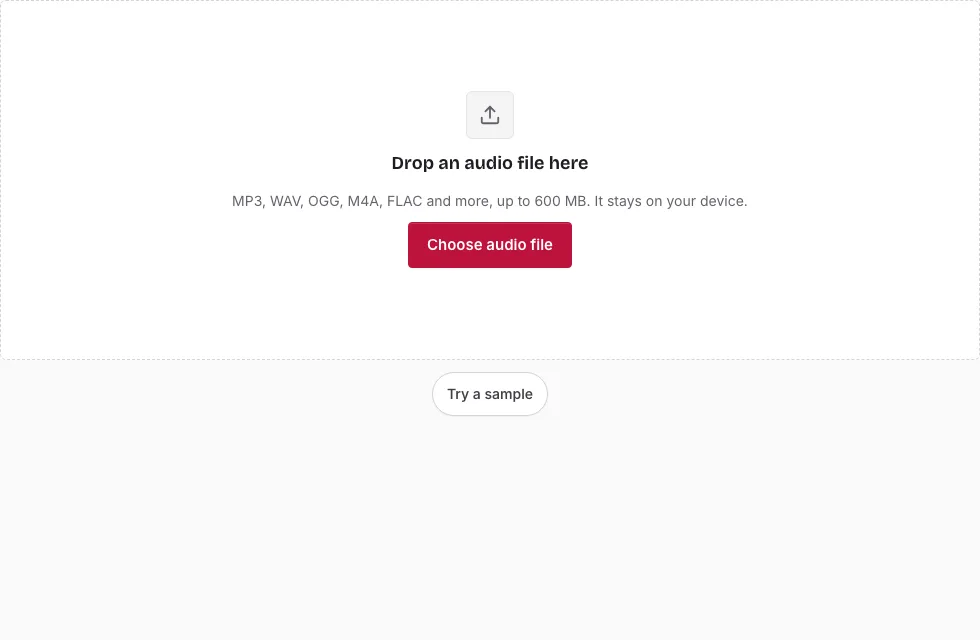
- Press Choose audio file and pick your MP3, or drop it onto the page. “Try a sample” loads a demo clip.
- Wait for the waveform to appear, then drag across it to select the part to keep. Drag either handle to adjust the edges.
- For exact timing, type the start, end or length as minutes:seconds.milliseconds in the three boxes under the waveform. Or play the file, pause at the right point and press Start here or End here.
- Press Play to hear the selection, tick Loop to repeat it, and press Stop when you are done.
- Leave the Format list on “MP3 (original quality, no re-encoding)”, or choose another format.
- Press Save as MP3, then Download.
The line under the Save heading shows the expected result length and size before you press the button. Zoom in with the plus button or the mouse wheel to place the edges precisely, and use the scroll bar to move along a zoomed view. With the waveform focused, Left and Right move the playhead by 0.1 s (1 s with Shift), [ and ] set the start and end at the playhead, Space plays or pauses, and Escape clears the selection.
Press Edit the result after saving to cut the new file again, for example to trim the other end. For a ringtone-length clip, type the length directly in the third box. If the first sound seems early after saving, a short lead-in is included; the page states its length in milliseconds.
How do you cut an MP3 without losing quality?
Save the selection in the default format, “MP3 (original quality, no re-encoding)”. The tool reads the frame headers, copies the whole frames that cover your selection and writes a new file with a fresh Xing or Info header, so players show the correct length. Nothing is decoded, which is why the quality stays as it was.
Does trimming an MP3 reduce audio quality?
Not with the default save. The audio data is copied as it is. The price is accuracy: a cut cannot start on a single sample, only on a frame boundary. Saving as re-encoded MP3, WAV, OGG, FLAC or M4A instead re-encodes the selection from decoded audio. Those edges are sample-accurate, but a lossy source does not become lossless.
MP3 frames can borrow data from earlier frames. To start cleanly, the cut therefore begins a few frames early, and the new header tells gapless-aware players to skip them. After saving, the page states how many milliseconds of lead-in the file contains. A player that ignores the gapless tag will play that extra sound at the start. Fades are not applied to this kind of save, since they would need re-encoding. A leading ID3 tag is skipped and not copied.
How do I cut an MP3 to an exact length?
Type the start time first, then the length, both as minutes:seconds.milliseconds, and the end moves to match. For a 30-second clip from 1:15, enter 1:15.000 and 0:30.000. Keep in mind that the lossless save rounds both edges to frame boundaries, a fraction of a second at most, while the other formats follow the typed times exactly.
What is the largest MP3 I can open?
The limit is 600 MB per file on a computer and 150 MB on a phone. The decoded audio must also fit in memory, so a long recording can fail on a phone even when the file is small enough.
| Device | File limit | Decoded 44.1 kHz stereo that fits |
|---|---|---|
| Computer | 600 MB | about 60 minutes |
| Phone | 150 MB | about 15 minutes |
A 10-minute stereo file at 44.1 kHz takes about 212 MB once decoded.
How accurate is a lossless MP3 cut?
A lossless MP3 cut can only start and end on a frame boundary, so it is accurate to one frame: 26.1 ms for 44.1 kHz MPEG-1 files, 24 ms at 48 kHz and 36 ms at 32 kHz. Saving as WAV, OGG or FLAC is sample-accurate but re-encodes the sound. The table lists the frame lengths.
| MPEG version | Sample rate | Samples per frame | Frame length |
|---|---|---|---|
| MPEG-1 | 44100 Hz | 1152 | 26.1 ms |
| MPEG-1 | 48000 Hz | 1152 | 24.0 ms |
| MPEG-1 | 32000 Hz | 1152 | 36.0 ms |
| MPEG-2 | 22050 Hz | 576 | 26.1 ms |
| MPEG-2 | 24000 Hz | 576 | 24.0 ms |
| MPEG-2 | 16000 Hz | 576 | 36.0 ms |
| MPEG-2.5 | 11025 Hz | 576 | 52.2 ms |
| MPEG-2.5 | 8000 Hz | 576 | 72.0 ms |
Frequently asked questions
How do I cut MP3 files online for free?
Open the file, drag across the waveform to select the part you want, and save it. Drag first for speed, then type exact times in the boxes under the waveform for precision.
Does trimming an MP3 reduce audio quality?
Not with the default “MP3 (original quality, no re-encoding)” save, which copies the existing frames. Other formats re-encode the selection.
Can I use an MP3 cutter for WAV, AAC or FLAC files?
Yes. MP3, WAV, OGG, M4A, AAC, FLAC, AIFF and Opus files open. WAV and AIFF are read directly, while the browser decodes the others, so a format your browser cannot play shows an error. The no-re-encoding option appears only for MP3 sources.
What format do ringtones need?
Android phones usually accept MP3. iPhones use M4R, an AAC-based format. This page saves M4A at most, so for an iPhone ringtone use the iPhone Ringtone Maker linked below.
How do I add fades after cutting an MP3?
Open the Fades section and set a fade in and fade out of up to 10 seconds each. Fades need a re-encoded format such as MP3 (constant bitrate), WAV or OGG, not the no-re-encoding MP3 save.
Can I change speed or pitch, or join MP3 files?
Those are separate pages: Audio Speed Changer, Audio Pitch Changer and MP3 Joiner. Cut the clip here first, then open the result there.
Why does the cut start a little before my selection?
MP3 frames can depend on data stored in earlier frames. The tool starts a few frames early so the first sound decodes correctly, and a gapless tag tells capable players to skip that lead-in.
Does the cut keep the sample rate and channels?
Yes. The source sample rate is kept, and a mono file stays mono unless you change the channels in the Save panel.
Related tools
- Cut Audio: use it to delete a section from the middle of a file.
- Audio Splitter: use it to divide one recording into several files.
- Silence Remover: use it to take out quiet gaps.
- MP3 Joiner: use it to put MP3 files together without re-encoding.
- iPhone Ringtone Maker: use it to save a clip as an M4R ringtone.
- Audio Speed Changer: use it to speed up or slow down the clip.
- Audio Pitch Changer: use it to raise or lower the pitch.
- Free Audio Editor: use it for several edits in one place.