
MP3 to AAC
Open an MP3 file and save it as AAC.
Free · runs in your browser · nothing is uploaded
Converting MP3 to AAC
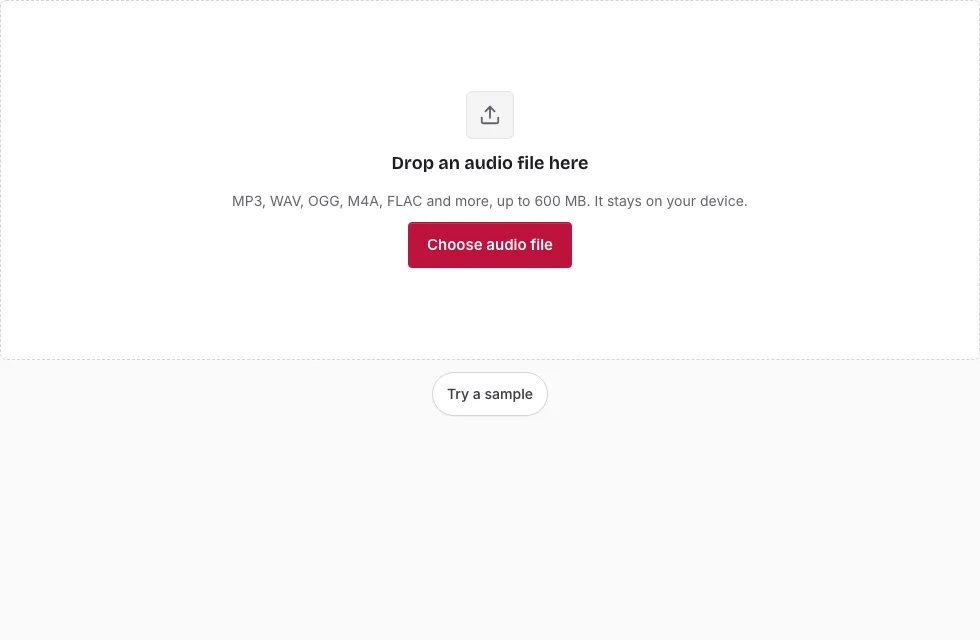
- Press Choose audio file and select the MP3, or drag it onto the page.
- Read the file line to confirm the name, length, sample rate, channels and size.
- Drag across the waveform to convert only a part, or leave it unselected for the whole track. Select all, Clear selection, Start here and End here change the range.
- In Save, set Bitrate to 64, 96, 128, 192 or 256 kbps; 128 kbps is selected first.
- Leave Sample rate and Channels unchanged unless the target requires otherwise.
- Press Save as M4A. The progress bar runs in 20-second blocks, and Cancel stops it.
- When “Ready.” appears, check the result in the small player and press Download. The file ends in .m4a and holds AAC audio.
Tip: if your browser cannot encode AAC, the page says so and suggests Chrome, Edge or Safari 26 or later, or a WAV, OGG or FLAC converter. The estimate above the button predicts the length and size, and the File name box lets you rename the result. Press Change file to convert another track. A selection limits the conversion to one section, which is handy for a long recording.
Because the page decodes the whole MP3 first, a long track takes longer than a short clip. If you only need a part, select it before step 4.
Can I convert MP3 to AAC?
Yes, with one detail: the file you get is an M4A container with AAC audio inside, not a raw .aac stream. That is how AAC is nearly always delivered, and players treat it the same way. The conversion decodes the MP3 first, so a mono MP3 stays mono and the sample rate is kept unless you change them.
Is AAC better quality than MP3?
At the same bitrate the two codecs differ, and the result depends on the encoder, but that comparison is moot here. An MP3 has already lost detail, and encoding it as AAC cannot restore any of it. Choosing 256 kbps keeps the AAC step gentle; it does not make the file better than the MP3. Convert for compatibility, not for quality.
Is AAC 320 kbps better than MP3 320 kbps?
This page tops out at 256 kbps and always starts from your MP3, so a 320 kbps comparison does not arise. If your goal is the highest-quality lossy file, start from a lossless original and choose the highest bitrate offered.
What carries over from the MP3?
Because the page decodes the MP3 at the sample rate stored in the file, the sample rate and the mono or stereo layout stay as in the MP3 unless you change them. Song titles, artist names and cover art do not carry over, because tags are not copied; add them back in your music app if you need them. The original MP3 is not changed.
How do I make an AAC version of a song?
Open the song’s MP3, pick a bitrate and press Save as M4A. The result is the AAC version, which you can rename. For a lossless song file such as WAV or FLAC, use WAV to M4A or the Audio Converter instead, because the quality loss is then only a single step.
How big will the M4A file be?
The M4A size follows the bitrate you choose. At 128 kbps a 3-minute song is 2.7 MB, at 256 kbps 5.5 MB and at 64 kbps 1.4 MB (1 MB = 1,048,576 bytes). The table also shows an MP3 source for comparison.
| Length | MP3 source at 128 kbps | M4A 64 kbps | M4A 96 kbps | M4A 128 kbps | M4A 192 kbps | M4A 256 kbps |
|---|---|---|---|---|---|---|
| 1 min | 0.9 MB | 0.5 MB | 0.7 MB | 0.9 MB | 1.4 MB | 1.8 MB |
| 3 min | 2.7 MB | 1.4 MB | 2.1 MB | 2.7 MB | 4.1 MB | 5.5 MB |
| 5 min | 4.6 MB | 2.3 MB | 3.4 MB | 4.6 MB | 6.9 MB | 9.2 MB |
| 10 min | 9.2 MB | 4.6 MB | 6.9 MB | 9.2 MB | 13.7 MB | 18.3 MB |
Frequently asked questions
How do I convert audio to AAC format?
Open the file here, choose a bitrate and press Save as M4A. The audio is AAC.
How can I make an AAC file?
The same way: the converter writes an .m4a file with AAC audio, which is the usual AAC delivery format.
Is the MP3 to AAC converter free?
Yes. The encoding happens in your browser using its own AAC encoder, so there is no server step to pay for.
How long does the conversion take?
It depends on the track length and your device. A progress bar shows the blocks as they are encoded.
How do I open an AAC file?
Most current players and phones play AAC and M4A. This page opens them too.
What is an AAC file?
AAC stands for Advanced Audio Coding, a lossy codec used for music downloads and phone recordings.
How do I open an MP3 file?
Any common player opens it, and so does this page.
Can I change the sample rate or make it mono?
Yes, under Sample rate and Channels in the Save panel. Both start at Same as source, so the AAC keeps the MP3’s values unless you pick something else, and a mono MP3 stays mono.
Related tools
- MP3 to M4A: the same output under its container name.
- AAC to WAV: decode AAC to uncompressed audio.
- WAV to M4A: encode AAC from an uncompressed source.
- MP3 to M4R: make an iPhone ringtone.
- Audio Converter: choose another target format.
- Compress Audio File: weigh the size of AAC against other formats.
- MP3 Cutter: trim an MP3 first.