
MP3 to FLAC
Open an MP3 file and save it as FLAC.
Free · runs in your browser · nothing is uploaded
Converting an MP3 to FLAC
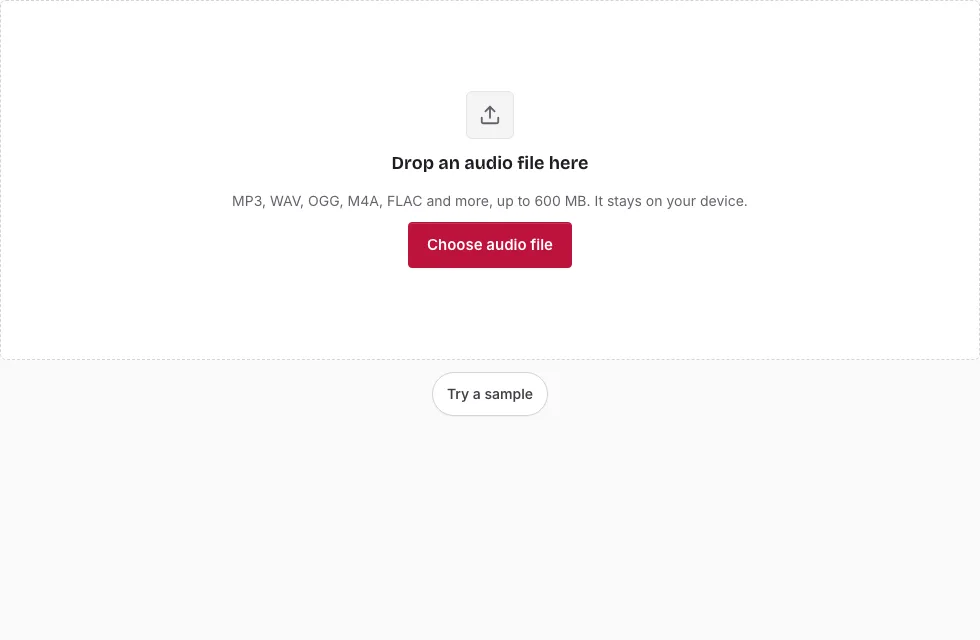
- Press Choose audio file, pick the MP3 or drop it on the page. The line below the drop area lists length, sample rate, channels and size.
- To encode only a section, drag over the waveform and refine it with the handles or the Start, End and Length boxes. Skip this to convert the whole track.
- In the Save panel, choose Bit depth: 16-bit or 24-bit. Sixteen bits is the usual choice for a decoded MP3, and 24-bit only makes the file larger.
- Keep Sample rate and Channels unchanged unless you need to alter them.
- The estimate above the button assumes about 60 percent of a WAV; actual size depends on the music.
- Press Save as FLAC. A progress bar appears with a Cancel button.
- Press Download once “Ready.” shows.
Tip: if you have the original WAV or a lossless rip, encode that instead; it is the only way to get a FLAC that really holds the full recording. This page cannot recover what the MP3 threw away, and the sample rate stays as in the MP3 unless you change it. You can rename the result in the File name box before saving.
The saved FLAC opens in the small player so you can confirm that it plays, and the result also offers Edit the result if you want to trim it further before keeping it.
Can you turn MP3 into FLAC?
Yes, technically. The page decodes the MP3 and writes the samples into a FLAC container. What you cannot do is regain quality: the file is lossless from this point, but it starts from a lossy source. Think of it as sealing a copy of the MP3’s sound, not restoring the original.
Is it worth converting MP3 to FLAC?
Rarely for sound. It makes sense when something insists on FLAC, such as a player, a library or an archive with a one-format rule. It does not make the music sound better, and the file will be several times larger than the MP3. A real FLAC release comes from a lossless source, for example a CD you ripped yourself.
Where can I get FLAC for free?
This site does not supply music. It produces a FLAC from a file you already have. If you want lossless copies of music you own, you would rip the original discs in a lossless format. Converting an MP3 only repackages the lossy sound, so the new file is bigger but sounds the same.
What settings does the FLAC get?
The MP3 is decoded at the sample rate stored in the file, 44.1 kHz or 48 kHz being typical, and a mono MP3 stays mono. Unless you choose otherwise under Sample rate and Channels, the FLAC keeps both. The encoder is libFLAC at compression level 5, and the audio is written in 20-second blocks so that long tracks do not use much memory.
What happens to the MP3’s tags and cover art?
They are left behind. The decoder passes only the sound to the FLAC encoder, so titles, artist names and artwork are not carried over. The sample rate and the number of channels are kept unless you change them.
How big will the FLAC file be?
FLAC compresses without losing anything, so the size depends on the music: it is typically about half to two thirds of the WAV, and the table uses 60 percent as a rough figure. A 3-minute stereo song is about 18 MB as 16-bit FLAC (1 MB = 1,048,576 bytes).
| Length | MP3 source at 128 kbps | FLAC 16-bit (about 60% of WAV) | FLAC 24-bit (about 60% of WAV) |
|---|---|---|---|
| 1 min | 0.9 MB | 6.1 MB | 9.1 MB |
| 3 min | 2.7 MB | 18.2 MB | 27.3 MB |
| 5 min | 4.6 MB | 30.3 MB | 45.4 MB |
| 10 min | 9.2 MB | 60.6 MB | 90.8 MB |
Frequently asked questions
How can I convert an MP3 file to FLAC online for free?
Open the MP3 here, choose 16-bit or 24-bit, then press Save as FLAC. The file is converted in the browser tab, in 20-second blocks.
How do I open a FLAC file?
Many media players and editors play FLAC. You can open it on this page too, which shows the waveform and plays the audio.
How do I open an MP3 file?
Any common media player opens an MP3, and so does this page.
What is a FLAC file?
FLAC is the Free Lossless Audio Codec. It stores sound compressed but exactly reproducible, typically at half to two thirds of the WAV size.
What is an MP3 file?
MP3 is a lossy audio format that makes files small by removing detail that is hard to hear.
How big a file can I convert?
Any MP3 within the device limit, 600 MB on a computer or 150 MB on a phone. MP3 files rarely come near it.
Can I change the sample rate or make it mono?
Yes. Sample rate offers 48000 down to 8000 Hz and Channels offers Mono or Stereo, both starting at Same as source. Changing the rate resamples the sound, so leave it alone for an exact copy.
Related tools
- Audio Converter: try a different source or target format.
- MP3 to WAV: an uncompressed copy of the decoded MP3.
- WAV to FLAC: encode FLAC from a WAV source.
- FLAC to WAV: reverse the step.
- MP3 to OGG: a smaller lossy copy.
- MP3 Cutter: trim an MP3 without re-encoding.
- Compress Audio File: reduce the size of a long recording.