
MP3 to M4A
Open an MP3 file and save it as M4A.
Free · runs in your browser · nothing is uploaded
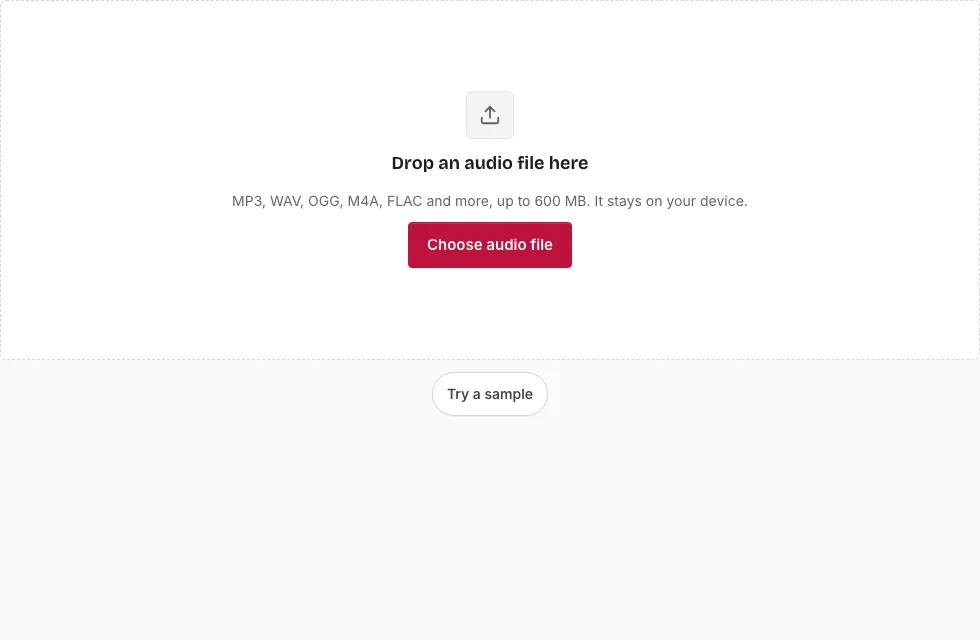
From MP3 to M4A in seven steps
- Press Choose audio file and select the MP3, or drop it on the page. The file line gives the length, sample rate, channels and size.
- Optionally drag across the waveform to choose a part, then refine it with the handles or the Start, End and Length boxes. Without a selection the whole track is converted.
- In Save, open Bitrate and pick 64, 96, 128, 192 or 256 kbps.
- Leave Sample rate and Channels on “Same as source”, unless the destination wants something else.
- Check the predicted length and size above the button.
- Press Save as M4A. The progress bar fills as 20-second blocks are encoded; Cancel stops it.
- When “Ready.” appears, listen to the result in the small player and press Download.
If the browser cannot encode AAC, the page shows a message that says to open it in Chrome, Edge or Safari 26 or later, or to use a converter to WAV, OGG or FLAC. Use the zoom buttons or the mouse wheel to place the edges of a selection precisely. Rename the file in the File name box if you want something other than the suggested “-converted” name, and press Change file to load another MP3 afterwards.
Higher bitrates cost more space, and 128 kbps is the preselected middle choice. Try 192 or 256 kbps only if the destination asks for it, since the MP3 has already lost detail.
Why is the MP3 to M4A converter free?
The work is done by your own device. The browser decodes the MP3 and its built-in AAC encoder writes the M4A, so no server has to process anything and there is no queue. The one requirement is a browser with an AAC encoder; if yours lacks one, the Save button stays disabled and the page cannot make M4A.
Will the M4A sound better than the MP3?
No. The MP3 already dropped detail, and AAC drops more when it is encoded from the decoded MP3. A higher bitrate keeps the second step gentler, but nothing returns what the MP3 removed. Convert only when a device or program needs M4A. If you still have the original lossless recording, make the M4A from that.
What is an M4A file?
M4A is the MPEG-4 audio file type. It is a container, and its audio is normally AAC, which is the codec this page writes. Apple’s music software and phones use M4A widely, and most current players read it. The container also holds metadata, but this page does not copy any tags into it.
Which bitrate should I choose?
The bitrate sets the size and how much of the decoded MP3 survives the second compression. Higher values stay closer to the MP3 and cost more space; lower values give smaller files with more loss. Because the source is already lossy, going far above the MP3’s own bitrate only adds size. The size table below lists what each bitrate costs for several lengths.
How long does the conversion take?
That depends on the length of the track and the speed of your device. The progress bar shows how far the encoding has gone, and long tracks are handled in 20-second blocks. You can press Cancel at any point and start again with another bitrate.
How big will the M4A file be?
The M4A size follows the bitrate you choose. At 128 kbps a 3-minute song is 2.7 MB, at 256 kbps 5.5 MB and at 64 kbps 1.4 MB (1 MB = 1,048,576 bytes). The table also shows an MP3 source for comparison.
| Length | MP3 source at 128 kbps | M4A 64 kbps | M4A 96 kbps | M4A 128 kbps | M4A 192 kbps | M4A 256 kbps |
|---|---|---|---|---|---|---|
| 1 min | 0.9 MB | 0.5 MB | 0.7 MB | 0.9 MB | 1.4 MB | 1.8 MB |
| 3 min | 2.7 MB | 1.4 MB | 2.1 MB | 2.7 MB | 4.1 MB | 5.5 MB |
| 5 min | 4.6 MB | 2.3 MB | 3.4 MB | 4.6 MB | 6.9 MB | 9.2 MB |
| 10 min | 9.2 MB | 4.6 MB | 6.9 MB | 9.2 MB | 13.7 MB | 18.3 MB |
Frequently asked questions
How do I convert MP3 to M4A?
Open the MP3, choose a bitrate and press Save as M4A. When it finishes, press Download.
Do you support other audio or video formats?
The page opens MP3, WAV, OGG, M4A, AAC, FLAC, AIFF and Opus files, and the converters on this site save MP3, WAV, OGG, FLAC and M4A. Video files are not supported.
How do I open an M4A file?
Apple devices and most current media players play M4A. This page opens it and shows the waveform too.
How do I open an MP3 file?
Any common player does. It also opens on this page.
What is an MP3 file?
MP3 is a lossy audio format that makes recordings small. The sound you hear after decoding is what the MP3 holds, not the original.
What if the Save button is grey?
Your browser probably has no AAC encoder, so M4A cannot be written there; the page shows a message about it. Open the page in Chrome, Edge or Safari 26 or later, which have one.
Can I change the sample rate or make it mono?
Yes. Both are options in the Save panel and both default to the MP3 values, so a mono MP3 stays mono. Change them only if the destination needs a specific rate or layout.
Related tools
- MP3 to AAC: the same output under its AAC name.
- WAV to M4A: encode M4A from an uncompressed source.
- MP3 to M4R: turn a clip into an iPhone ringtone.
- Audio Converter: pick WAV, OGG or FLAC if M4A is not required.
- Compress Audio File: estimate sizes for each bitrate.
- MP3 Cutter: trim an MP3 without re-encoding.
- Normalize Audio: level the sound first.