
MP3 to WAV
Open an MP3 file and save it as WAV.
Free · runs in your browser · nothing is uploaded
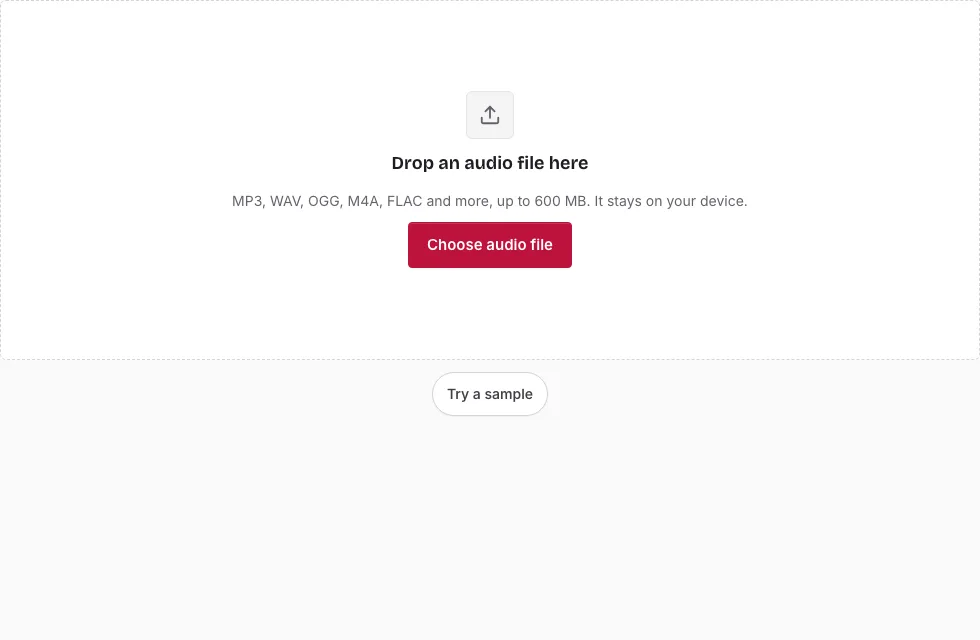
How to convert MP3 to WAV
- Press Choose audio file, or drop an MP3 onto the page. Try a sample loads a short demo clip instead.
- To convert only part of the track, drag across the waveform, then drag either handle to fine-tune the edges. You can also type a start, end or length as minutes:seconds.milliseconds. With no selection, the whole file is converted.
- Press Play to hear the section you chose.
- In the Save panel, pick a Bit depth: 16-bit, 24-bit or 32-bit float.
- Change Sample rate or Channels only if you need to; both start at “Same as source”. Edit the File name if you like.
- Press Save as WAV. A progress bar runs, and Cancel stops it.
- When “Ready.” appears, listen with the small player and press Download followed by the file name.
Tips: use the zoom buttons or the mouse wheel to place the edges precisely. The line above the Save button shows the expected length and size of the result before you commit. If the converted file will go back into an editor, keep the sample rate unchanged so nothing is resampled. To convert another file, press Change file.
After the WAV is saved, Edit the result opens it again as the source, which is useful if you want to trim it or convert it to another format from the same page.
Is MP3 better quality than WAV?
Neither one is “better” as a copy of your MP3. An MP3 is lossy: its encoder discarded some of the sound to keep the file small. A WAV stores samples without compression, so it can hold exactly what the MP3 decodes to, yet it cannot bring back what was thrown away. The conversion changes the container, not the sound, so the only reason to do it is compatibility or editing convenience.
| MP3 | WAV from this tool | |
|---|---|---|
| Compression | Lossy | None (PCM) |
| Size | Small | Many times larger |
| Content | Reduced detail | Everything the MP3 decodes to |
| Typical use | Listening, sharing | Editing, hardware or software that wants WAV |
Why is the WAV so much bigger than the MP3?
A WAV writes out every sample at a fixed size, while an MP3 keeps a compressed description of the same sound. The bit depth you choose moves the size too: 24-bit and 32-bit float files are larger than 16-bit ones. The size table below compares them for several lengths.
Which bit depth suits a converted MP3?
Sixteen bits is the usual choice and plays everywhere. Pick 24-bit or 32-bit float only when an editor or a later processing step asks for it, because they make the file bigger without adding detail the MP3 never held. No dither or noise shaping is added at any setting, and resampling happens only if you choose a different sample rate.
What is kept and what is dropped?
The sound is kept at the sample rate stored in the MP3 (44.1 kHz or 48 kHz is typical), and mono stays mono. Tags such as the title, artist and the cover picture are not copied into the WAV. The header is the standard 44-byte kind that every audio program reads, and the file name defaults to the original name with a suffix you can edit.
How big will the WAV file be?
The WAV is much larger than a compressed source because it stores every sample: 16-bit stereo at 44.1 kHz is 1411 kbps, or 10.1 MB per minute. A 3-minute song is 30.3 MB as 16-bit WAV, 45.4 MB as 24-bit and 60.6 MB as 32-bit float. The table compares them with an MP3 source (1 MB = 1,048,576 bytes).
| Length | MP3 source at 128 kbps | WAV 16-bit | WAV 24-bit | WAV 32-bit float |
|---|---|---|---|---|
| 1 min | 0.9 MB | 10.1 MB | 15.1 MB | 20.2 MB |
| 3 min | 2.7 MB | 30.3 MB | 45.4 MB | 60.6 MB |
| 5 min | 4.6 MB | 50.5 MB | 75.7 MB | 101 MB |
| 10 min | 9.2 MB | 101 MB | 151 MB | 202 MB |
Frequently asked questions
Why convert MP3 to WAV?
Some editors, production tools and hardware accept only uncompressed audio. It will not sound better than the MP3 it came from.
Can you turn an MP3 into a WAV file?
Yes. Open the MP3 here, pick a bit depth in the Save panel and press Save as WAV. The result downloads as a normal WAV file.
Is there a free way to convert MP3 to WAV without a limit?
The only limits come from your device. A file can be up to 600 MB on a computer and 150 MB on a phone. The decoded sound must also fit in memory, roughly 60 minutes of 44.1 kHz stereo on a computer and about 15 minutes on a phone.
Does my file get uploaded?
No. The MP3 is read, decoded and written to the WAV on your device, so your input is not uploaded to a server.
What is a WAV file?
WAV is an audio file format that usually holds uncompressed PCM samples. Because nothing is compressed, WAV files are far larger than MP3 or M4A files of the same length.
What is an MP3 file?
MP3 is a lossy audio format that shrinks recordings by removing detail that is hard to hear. It is the common format for storing and sharing music.
How do I open a WAV file?
Most media players and audio editors open WAV directly. You can also check the result in the small player that appears after the conversion.
Related tools
- Audio Converter: choose between MP3, WAV, OGG, FLAC and M4A when WAV is not the target.
- Compress Audio File: shrink a recording after you have edited it.
- M4A to WAV: the same job for an M4A source.
- OGG to WAV: decode an OGG file to WAV.
- FLAC to WAV: turn a lossless FLAC into WAV.
- MP3 Cutter: trim an MP3 before converting it.
- Cut Audio: remove a section from the middle of a file.
- Audio Splitter: break one recording into several files.