
OGG to WAV
Open an OGG file and save it as WAV.
Free · runs in your browser · nothing is uploaded
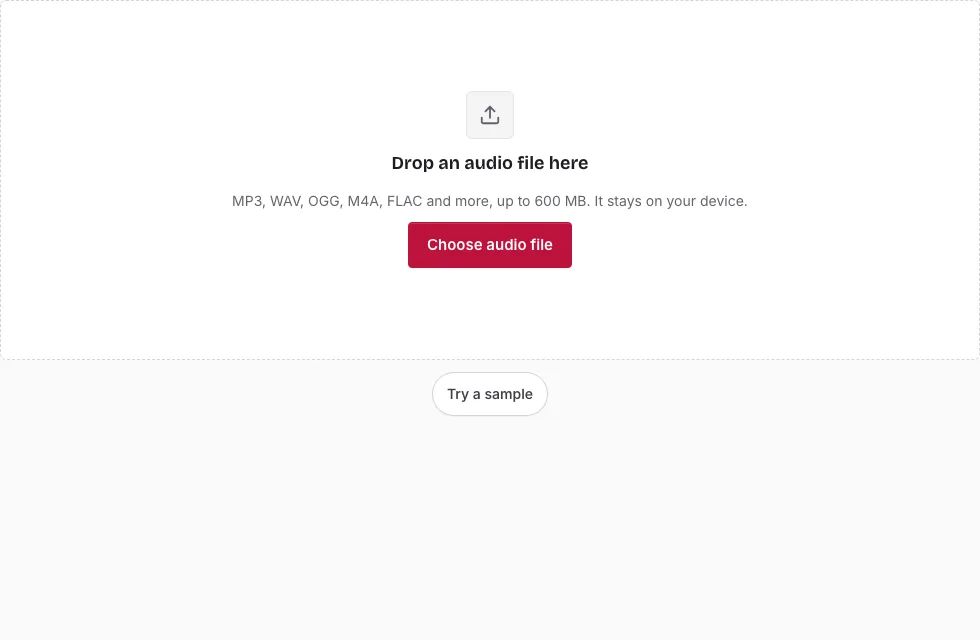
Converting an OGG file to WAV, step by step
- Press Choose audio file and select your .ogg or .opus file, or drop it on the page.
- Check the file line under the drop area (name, length, sample rate, channels, size) to be sure the right file opened.
- For a partial conversion, drag across the waveform and move the handles, or type times into Start, End and Length as minutes:seconds.milliseconds. Skip this to convert the whole file.
- Open the Bit depth list in the Save panel and choose 16-bit, 24-bit or 32-bit float.
- If you need a different Sample rate (48000, 44100, 32000, 22050, 16000 or 8000 Hz) or Channels setting, choose it here. Both default to “Same as source”.
- Change the File name if you want something other than the suggested “-converted” name.
- Press Save as WAV and watch the progress bar; Cancel stops the job.
- Press Download when “Ready.” appears.
For a game or sample library that expects a fixed rate, set the sample rate in step 5 rather than resampling later. The line above the Save button predicts the length and size of the result, so you can compare bit depths before saving.
If an .opus file does not open, the browser cannot decode it and an error says so; try another browser. An OGG that holds something other than Vorbis or Opus may fail in the same way.
What is OGG Vorbis, and is OGG a sound file?
OGG is a container, and in everyday use the sound inside is Vorbis, a lossy codec. So yes, an .ogg file is normally an audio file. Ogg Opus files use the same container with a different codec, and this page opens those too. When people say “OGG” they nearly always mean Ogg Vorbis, which is also the format this site writes for OGG output.
Is WAV better than OGG?
For editing, yes; for listening and storage, not necessarily. A WAV holds samples without compression, so repeated edits and saves add no further loss. An OGG keeps a file small by discarding detail. Converting an OGG to WAV copies what the OGG decodes to; it does not improve the sound or recover discarded detail.
What is the difference between OGG to WAV and OGG to MP3?
OGG to WAV decodes the audio and stores it unchanged in an uncompressed file. OGG to MP3 compresses it a second time and loses more detail; the OGG to MP3 page does that when a player needs MP3. WAV is the lossless way out of an OGG.
Which programs accept a WAV?
Nearly every audio editor, sampler and video editor reads WAV, and so do most operating systems and media players. That broad support is the main reason to convert. The standard 44-byte header means no unusual tool is needed to read the result.
What carries over from the OGG?
The sound keeps the sample rate written in the file header, and a mono recording stays mono unless you choose otherwise under Channels. Vorbis comments such as the title, artist or embedded cover art are not copied into the WAV. No dither or noise shaping is added, and long files are written in 20-second blocks so that memory use stays modest.
How big will the WAV file be?
The WAV is much larger than a compressed source because it stores every sample: 16-bit stereo at 44.1 kHz is 1411 kbps, or 10.1 MB per minute. A 3-minute song is 30.3 MB as 16-bit WAV, 45.4 MB as 24-bit and 60.6 MB as 32-bit float. The table compares them with an OGG source (1 MB = 1,048,576 bytes).
| Length | OGG source at 128 kbps | WAV 16-bit | WAV 24-bit | WAV 32-bit float |
|---|---|---|---|---|
| 1 min | 0.9 MB | 10.1 MB | 15.1 MB | 20.2 MB |
| 3 min | 2.7 MB | 30.3 MB | 45.4 MB | 60.6 MB |
| 5 min | 4.6 MB | 50.5 MB | 75.7 MB | 101 MB |
| 10 min | 9.2 MB | 101 MB | 151 MB | 202 MB |
Frequently asked questions
Why convert OGG to WAV?
Do it when a program, device or workflow accepts WAV but not OGG. A WAV can also be edited and re-saved without adding another round of lossy compression.
Will converting improve the audio quality?
No. The WAV matches the decoded OGG. Vorbis discarded some detail when the file was made, and that detail cannot be rebuilt.
Why is the WAV larger than the OGG?
A WAV stores every sample uncompressed, while an OGG stores a compressed version of the sound. The size table below shows the difference for several lengths.
Do I need to install anything?
No. The conversion runs in the browser tab. Your file stays on your device and is never uploaded.
Can I convert multiple files at once?
The page works on one file at a time. After saving, press Change file to open the next OGG.
What is the maximum OGG file size?
600 MB on a computer and 150 MB on a phone. The decoded audio must also fit in memory: about 60 minutes of 44.1 kHz stereo on a computer, about 15 minutes on a phone.
How do I open an OGG file?
Many players and editors read it. If yours does not, open the file on this page: it shows the waveform and plays it.
Related tools
- Audio Converter: convert between other sources and targets.
- MP3 to OGG: create a small OGG from an MP3.
- WAV to OGG: the reverse direction.
- FLAC to OGG: turn lossless FLAC into a small OGG.
- M4A to OGG: move an M4A file into OGG.
- Compress Audio File: bring a big WAV back down in size.
- Audio Splitter: split a long recording into parts.